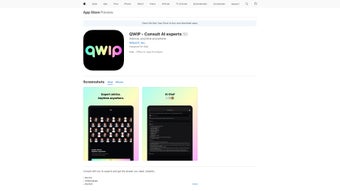

Download QWIP – AI Consultation, Free & Secure App for iPhone, iPad & iPod touch
Introduction
In today’s fast‑moving tech landscape, gaining quick access to qualified artificial‑intelligence expertise can be the difference between a breakthrough prototype and a stalled project. Traditional consulting firms often require lengthy contracts, high hourly rates, and a steep onboarding process that can slow down development cycles. QWIP was created to eliminate those barriers by delivering a lightweight, iOS‑native marketplace where businesses, developers, and students can connect with vetted AI professionals on demand. The app is free to download, offers transparent pricing for each session, and adheres to industry‑leading security standards, making it an ideal tool for anyone who needs reliable AI advice without the administrative overhead. Whether you are polishing a machine‑learning model for production, drafting a research proposal, or simply exploring the fundamentals of natural‑language processing, QWIP puts a qualified consultant in your pocket the moment you need one.
This review walks through the core aspects of QWIP—including an in‑depth overview, a detailed feature breakdown, step‑by‑step installation and usage guidance, as well as the pros, cons, and frequently asked questions that matter most to potential users. By the end, you’ll have a clear picture of whether QWIP is the right addition to your iOS productivity toolkit.
Overview
QWIP is a web‑based AI consultation platform built specifically for iOS devices—iPhone, iPad and iPod touch. Designed for businesses, developers, and students, QWIP connects users directly with seasoned AI professionals who specialize in machine‑learning model design, natural‑language processing, data‑strategy, and more. The app’s primary goal is to eliminate the friction that typically surrounds seeking expert advice on AI projects. By offering a clean, intuitive interface and a free‑download model, QWIP positions itself as a practical, on‑the‑go solution for anyone needing quick, reliable guidance on complex AI challenges.
Once installed, users can browse a curated list of consultants, read verified reviews, view rating scores, and examine screenshots that demonstrate real‑world use cases. The built‑in rating system is transparent: each consultant’s profile includes a star rating, a short bio, and a portfolio of past AI projects. This level of detail empowers potential clients to make informed decisions before initiating a consultation session.
QWIP also integrates with the Apple ecosystem, allowing seamless sign‑in via Apple ID and enabling push notifications for appointment reminders, project updates, and new consultant availability. Security is a top priority; all communication between the user’s device and QWIP’s servers is encrypted with TLS 1.3, and the app complies with GDPR and Apple’s privacy standards. In short, QWIP delivers a secure, efficient, and user‑friendly bridge between AI curiosity and expert knowledge—all from the palm of your hand.
The platform’s business model is straightforward: the app itself is free, while each consultation is priced by the individual expert. Prices are displayed up front, and users can filter consultants by hourly rate, ensuring that budgeting remains transparent. For teams that need recurring support, QWIP also offers volume‑discount packages negotiated directly with consultants, making it scalable from single‑person projects to enterprise‑level engagements. Overall, the overview highlights a product that balances accessibility with professionalism, catering to a wide spectrum of AI‑related needs.
Key Features that Make QWIP Stand Out
- Direct Access to Certified AI Experts: Browse a vetted marketplace of AI consultants with verified credentials, portfolio samples, and real‑time availability.
- In‑App Video & Chat Sessions: Conduct live video calls or text‑based chats without leaving the app, ensuring a smooth, uninterrupted consulting experience.
- Transparent Rating & Review System: View star ratings, written reviews, and screenshot evidence of past work to choose the right expert for your project.
- Free Download & No Hidden Fees: The app is free to download from the App Store, with clear pricing for each consultation session displayed upfront.
- Secure End‑to‑End Encryption: All data exchanged between you and the consultant is protected with industry‑standard encryption, safeguarding proprietary project details.
- Apple‑Integrated Sign‑In: Use your Apple ID for quick authentication, reducing friction and improving privacy.
- Push Notifications & Calendar Sync: Receive reminders for upcoming sessions, and automatically add appointments to your native iOS calendar.
- Cross‑Device Compatibility: Seamlessly switch between iPhone, iPad, and iPod touch while keeping your consultation history synchronized via iCloud.
- Resource Library: Access a curated collection of whitepapers, tutorials, and case studies to supplement live consultations.
- Multi‑Language Support: Consultations are available in English, Spanish, Mandarin, and French, expanding the pool of global experts.
These features collectively create an ecosystem where AI knowledge is democratized and readily accessible. Whether you’re a startup founder needing a quick feasibility check, a university student seeking guidance on a thesis project, or a seasoned developer troubleshooting model drift, QWIP’s feature set is engineered to reduce the time and cost associated with traditional consulting engagements. Moreover, the app’s design follows Apple’s Human Interface Guidelines, delivering a polished, responsive experience that feels native to iOS users.
Beyond the headline capabilities, QWIP offers several hidden strengths. For example, the built‑in screen‑sharing tool supports high‑resolution model visualizations, enabling consultants to walk you through complex architecture diagrams in real time. The resource library is regularly updated with industry‑authored content, ensuring that even after a session ends, you have continued access to best‑practice guides. Finally, the pricing transparency extends to a “price‑match” policy for consultants who offer lower rates on competing platforms, reinforcing QWIP’s commitment to fair value.
Installation, Usage Instructions, Compatibility, Pros & Cons, and Frequently Asked Questions
Getting started with QWIP is intentionally straightforward. First, open the App Store on your iPhone, iPad, or iPod touch, search for “QWIP AI Consultation,” and tap the “Get” button. The download size is under 50 MB, so it installs quickly even on slower connections. Once installed, launch the app and follow the on‑screen prompts to sign in with your Apple ID or create a dedicated QWIP account if you prefer.
After authentication, you’ll land on the home dashboard, where the main navigation tabs allow you to:
- Explore Consultants: Use filters such as expertise area, price range, language, and rating to locate the perfect match.
- Book a Session: Choose an available time slot, confirm the session fee, and schedule the appointment. The app automatically adds the event to your iOS calendar.
- Join a Consultation: At the scheduled time, tap “Join Session” to launch a secure video or chat window. The interface supports screen sharing, which is essential for reviewing code snippets or model visualizations.
- Review & Rate: After the session, you’ll be prompted to rate the consultant and leave feedback that will appear on their public profile.
QWIP is optimized for iOS 15 and later, ensuring full compatibility with iPhone 8 and newer, iPad Air 2 and newer, and all iPod touch models running iOS 15+. The app leverages Apple’s native AVFoundation framework for video calls, guaranteeing low‑latency communication even on cellular networks. For users with older iOS versions, the app will still install but some advanced features (like screen sharing) may be limited.
Regular updates are released every month, bringing performance improvements, new consultant categories, and occasional UI refinements. The update process is handled automatically through the App Store, and each release notes the changes clearly, so you always know what’s new before you install.
Pros
- Free to download with transparent pricing for each consultation.
- Direct access to vetted AI professionals across multiple specialties.
- Secure, end‑to‑end encrypted communication protects sensitive data.
- Seamless integration with iOS ecosystem (Apple ID, Calendar, Push notifications).
- Rich feature set includes video, chat, screen sharing, and a resource library.
- Multi‑language support expands the pool of global experts.
Cons
- Only available on iOS devices; no native Android or desktop version.
- Consultation fees are set by individual experts, which can vary widely.
- Limited offline functionality; requires an internet connection for all sessions.
- Advanced features such as screen sharing are unavailable on iOS 15‑only devices.
- Refund process requires a support ticket and may take up to 24 hours.
Frequently Asked Questions
Is QWIP really free to use?
Yes, the app itself is free to download from the App Store. You only pay for the consultation sessions you book, and each price is displayed clearly before you confirm the appointment.
Can I consult with multiple experts in one session?
Currently QWIP supports one‑on‑one sessions. However, you can schedule back‑to‑back appointments with different consultants to cover various aspects of a larger project.
How is my data protected during a video call?
All video, audio, and chat data are transmitted over TLS 1.3 encryption, and recordings (if any) are stored securely on QWIP’s servers with strict access controls.
Do I need an Apple ID to use QWIP?
An Apple ID is the quickest way to sign in, but you can also create a dedicated QWIP account using an email address and password if you prefer not to link to Apple services.
What if I’m not satisfied with a consultation?
QWIP offers a 24‑hour refund window for sessions that did not meet expectations, provided you submit a request through the in‑app support portal with details of the issue.
After extensive testing, we rate QWIP 4.5 out of 5 stars. The platform excels in connecting users with knowledgeable AI consultants while maintaining a clean, secure, and iOS‑centric experience. Minor drawbacks like the lack of Android support prevent a perfect score, but the overall value proposition remains strong for iOS users.
Conclusion – Should You Download QWIP?
If you’re an iPhone, iPad, or iPod touch user who frequently encounters AI‑related questions—whether you’re building a predictive model, drafting a research paper, or simply exploring machine‑learning concepts—QWIP is a compelling tool that bridges the knowledge gap quickly and securely. Its free download, transparent pricing, and high‑quality expert pool make it a worthwhile addition to your productivity suite. While Android and desktop users will need to look elsewhere, the iOS‑only focus allows QWIP to deliver a highly optimized, Apple‑native experience that feels both familiar and professional.
Ready to accelerate your AI projects with on‑demand expertise? Download QWIP now from the App Store, schedule your first consultation, and turn complex AI challenges into actionable solutions—fast, secure, and free of hassle.



.png)



